Plan the week
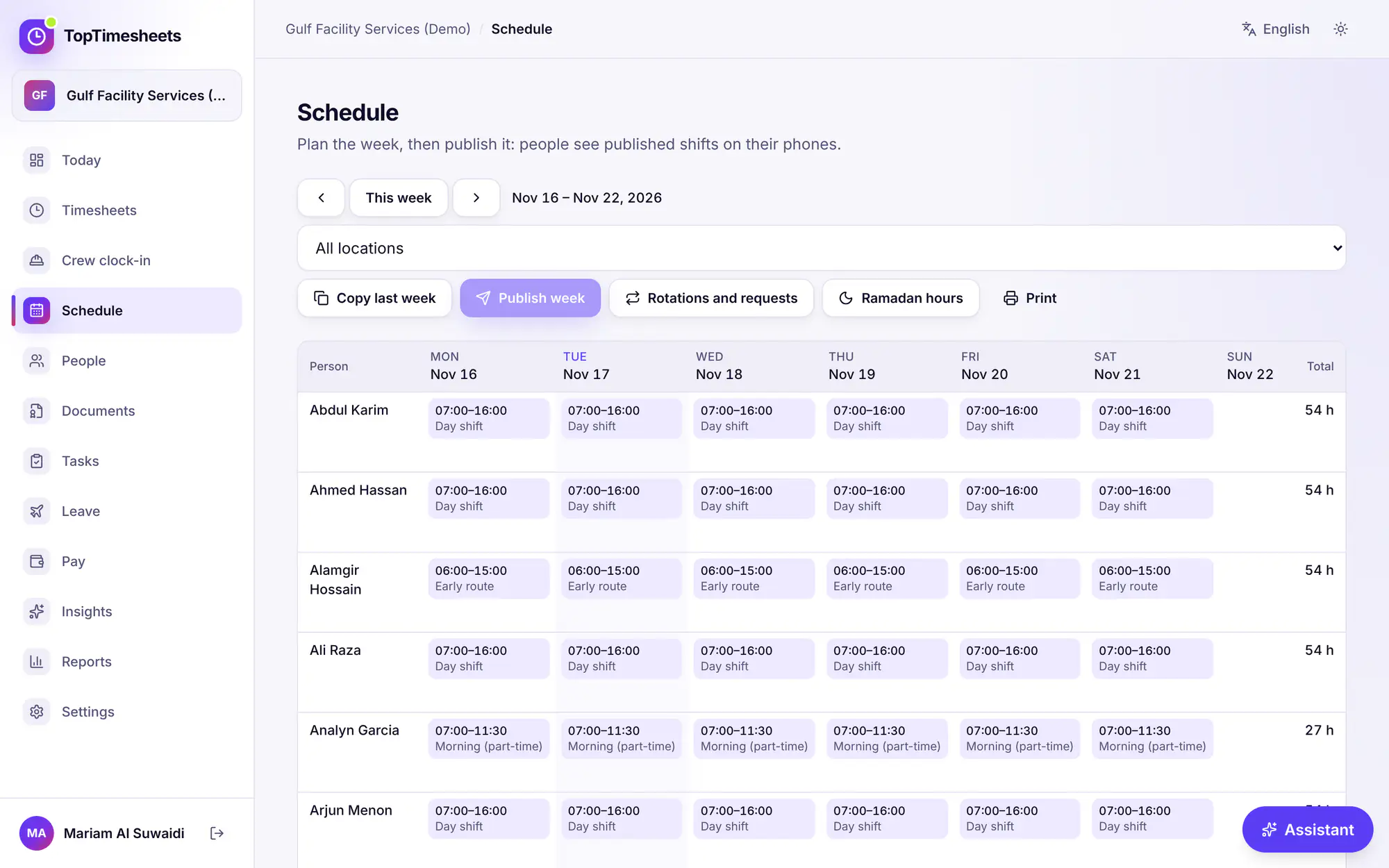
Open Schedule. Add shifts with a date, start, end, location and a role or label. A shift that ends before it starts finishes the next day. Copy last week repeats the previous week.
Shifts are drafts (dashed) until you press Publish week. Workers see published shifts on their clock-in screen under My shifts. A warning shows when someone has approved leave on that day.
Rotations
On the Team plan and above, Schedule → Rotations and requests repeats a pattern for weeks at a time:
- New rotation: choose Weekly repeat, 2-2-3 (Panama), 4 on, 4 off or a Custom cycle, the first day of the cycle and the shift times.
- Who works it: people, a team or everyone at a location. Give a second crew a later start day to run the same rota in turns.
- Make shifts: pick the dates (up to 92 days at a time), Preview, then Create drafts.
People on approved leave, public holidays (if you choose Leave public holidays empty) and existing shifts are left empty. The drafts appear on the schedule: publish each week as usual.
Open shifts
Post open shift for a shift with nobody yet. You can limit it to a job title or a team, and choose Tell the people who can take it. People see it under Open shifts you can take on their phone and press Take this shift.
You approve who gets it, or tick Give it to the first person who claims it to skip approval.
Swaps and give-aways
People offer one of their shifts from their clock-in page: a swap with a colleague's shift, or a give-away to anyone. When a colleague accepts, it waits for your approval under Swaps: press Approve or Turn down. The schedule updates when you approve.
Ramadan
On the Team plan and above, Ramadan hours on the Schedule page opens the Ramadan roster helper: it shortens and moves the published shifts of people with Ramadan hours during your Ramadan dates. Preview first; nothing changes until you apply. See Overtime rules and Ramadan hours.
Vérifié avec le produit le 17 novembre 2026