What a pay run is
A pay run covers one calendar month. It uses the approved hours, the pay rates in force and your overtime rules. Pay runs and payslips are part of बिज़नेस (and the trial); you need an owner or payroll admin account.
Set pay rates
On each person's page under Pay: Monthly salary (basic per month) or Hourly (rate per hour), allowances such as housing, and the date the rate starts. Pay history keeps earlier rates. You can also import them from a CSV file.
Calculate and check
- Open Pay, press New pay run, pick the month and press Calculate draft.
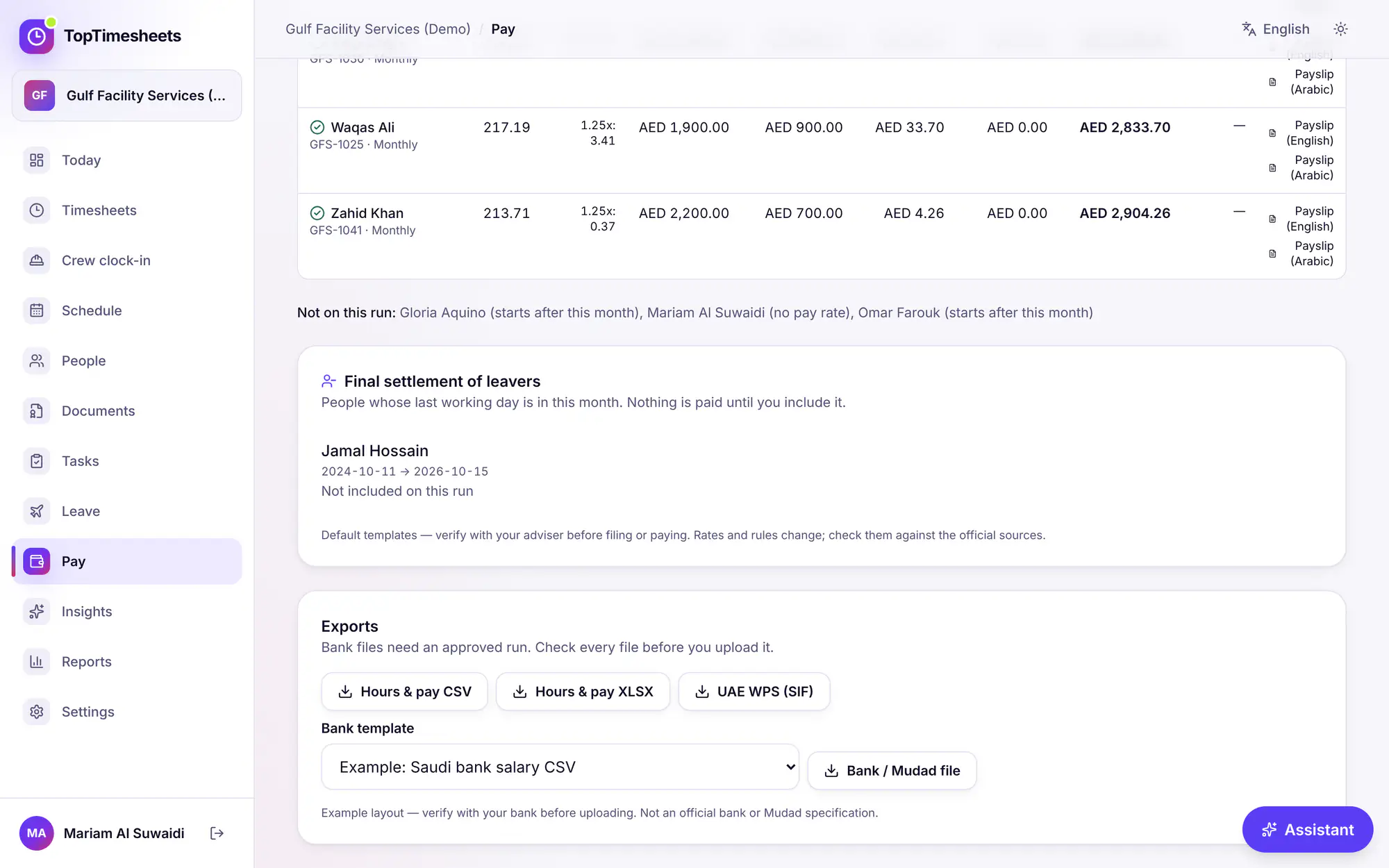
- Each line shows hours, overtime hours, basic, allowances, overtime pay, deductions and net pay, and the change from the previous run. Notes point at things to check, such as a timesheet that is not approved.
- Adjust adds a one-off addition (bonus, allowance) or deduction (advance, loan) for a person, with a reason that is kept in the audit log.
- Hours or rates changed? Recalculate: adjustments are kept.
People without a pay rate, with a rate in another currency or starting after the month are listed under Not on this run, with the reason.
Approve and lock
Approve and lock makes the amounts final and locks the month: time entries in it can no longer be added, changed or deleted. If some timesheets are not approved yet, approve them first, or press Approve anyway and record why.
Payslips
Each person on the run has Payslip (English) and Payslip (Arabic): a PDF you can print or send to the person. Send payslips once the run is approved, so the amounts are final.
Exports
Under Exports on the run:
- Hours & pay CSV and Hours & pay XLSX: for your accountant or payroll provider.
- UAE WPS (SIF): see UAE WPS SIF.
- Bank / Mudad file, with a Bank template: see Saudi Mudad and bank files.
Bank files need an approved run. Statutory reports (GOSI) are on the same page: see GOSI and end of service.
Common questions
- There is already a pay run for this month: open it, or delete the draft and calculate again.
- Hours or pay rates changed since this run was calculated: press Recalculate, check the numbers, then approve.
17 नवंबर 2026 को प्रोडक्ट से मिलाकर जाँचा गया